Training Management
Creating a Training Session
To create a training session, go to the Diary → Summary tab in the left menu, then click on any day in the team calendar and select "Training" in the window that appears on the screen.
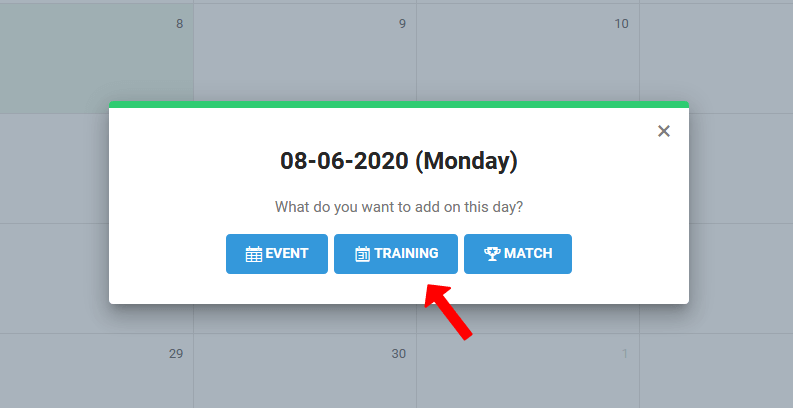
After clicking the "Training" button, the training creation window will appear. It consists of three main tabs:
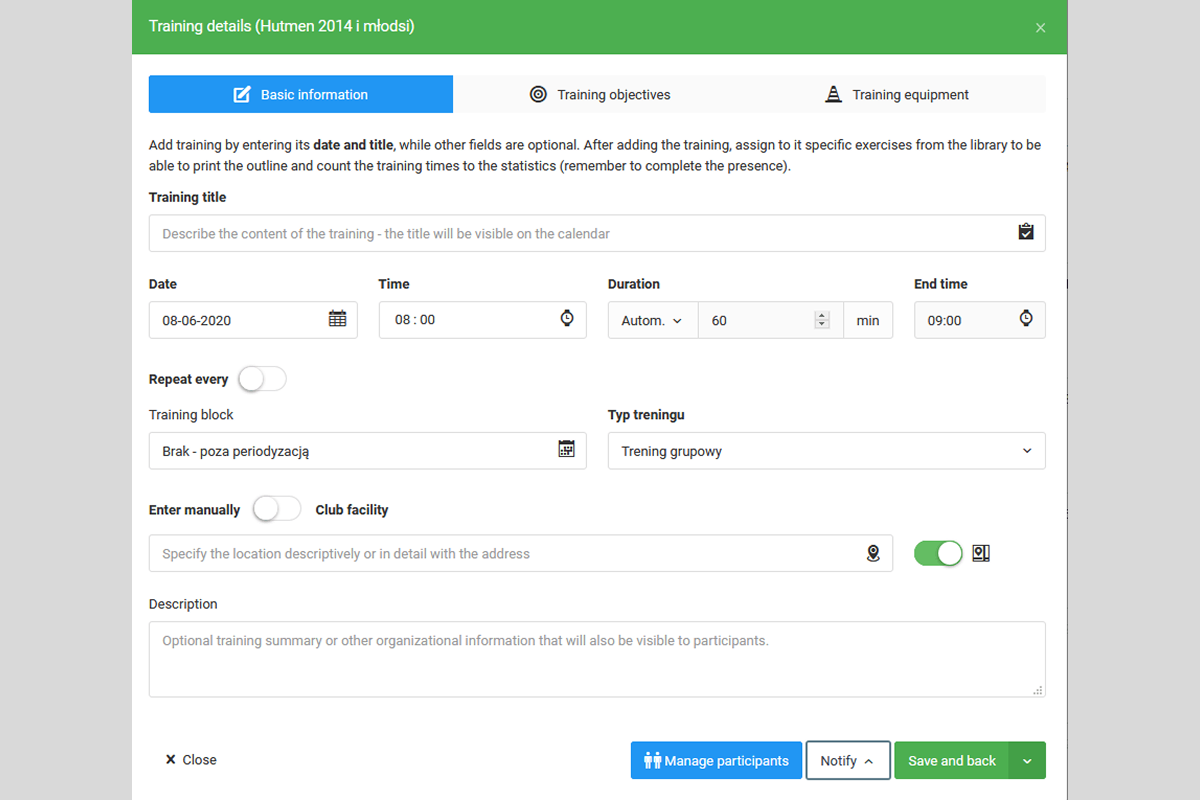
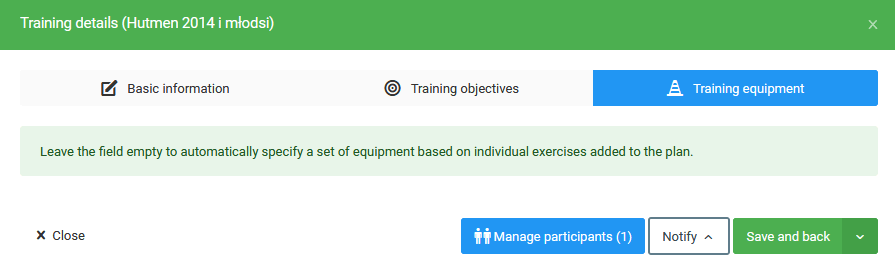
The first step when creating a training session is to give it a name and specify the date, time, and duration. The duration can be set manually or will be calculated as the sum of the times of the exercises used. The next step is to specify the training location — you can enter it manually or select it from a predefined list of venues created in the venues module.
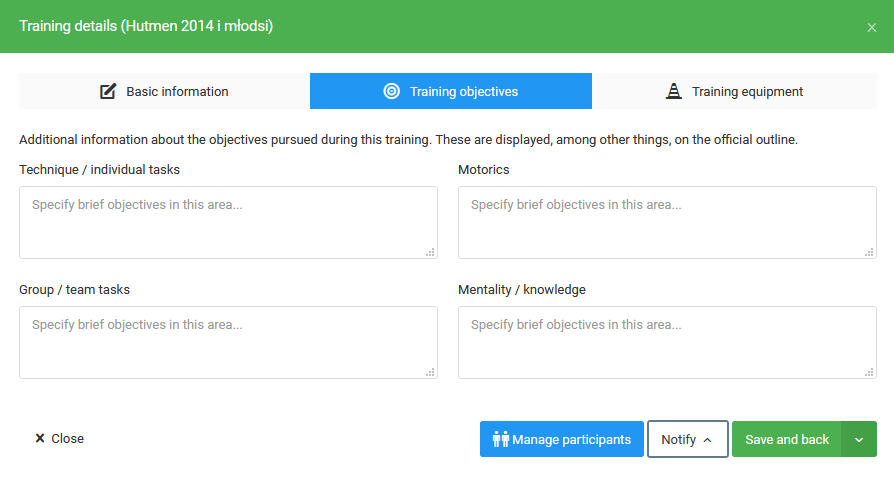
The next step is to define the training goals, divided into four types:
- Technique,
- Motor skills,
- Group actions,
- Mentality.
The final step is to set the required equipment — by default, it is generated from the exercises added to the training session.
Recurring Training
The system allows you to create recurring training sessions. To do so, check the "Repeat every" option in the training creation or editing window. Once clicked, fields will appear where you can set:
- Time interval — how often the training session should repeat,
- Date range — from when and until when the training session should be scheduled.
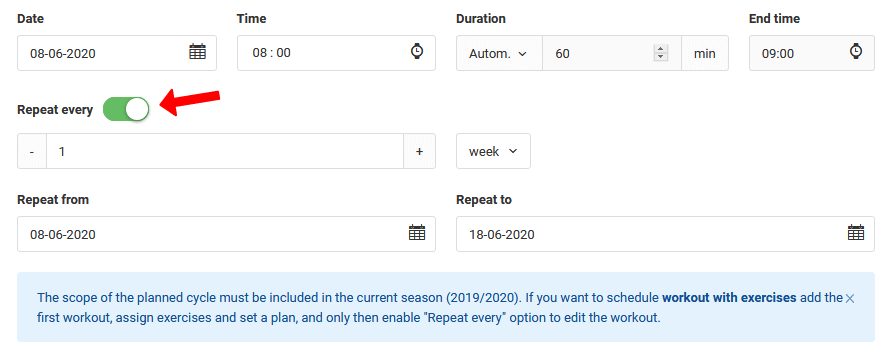
How to Create a Recurring and Individual Training Session?
Managing Participants and Notifications
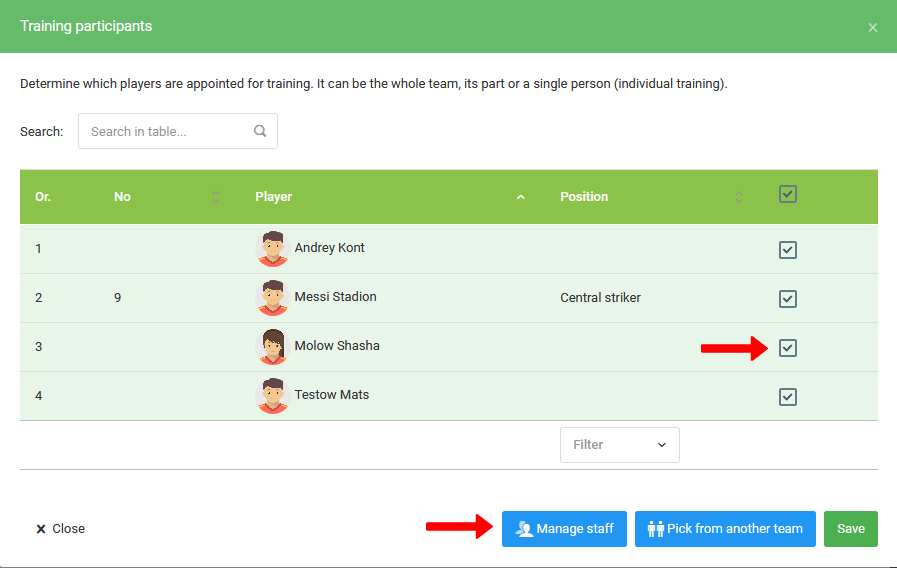
When creating a training session, you can set the list of participants:
- Players — the selected list will correspond to the attendance list when checking attendance,
- Staff (coaches) — visible on the training session outline, among other places.
Training Notifications
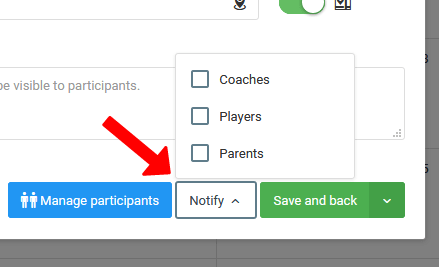
Notifying participants about a training session is based on selecting the user groups to which the notification should be sent. It will appear in both the mobile application and the online version of the system.