

Player profile and card
Player profile
Each player in the system has an automatically generated profile and a player card. Both tabs collect the most important data about the player in the selected season. To go to the player's profile, enter the player list and click on the player's name.
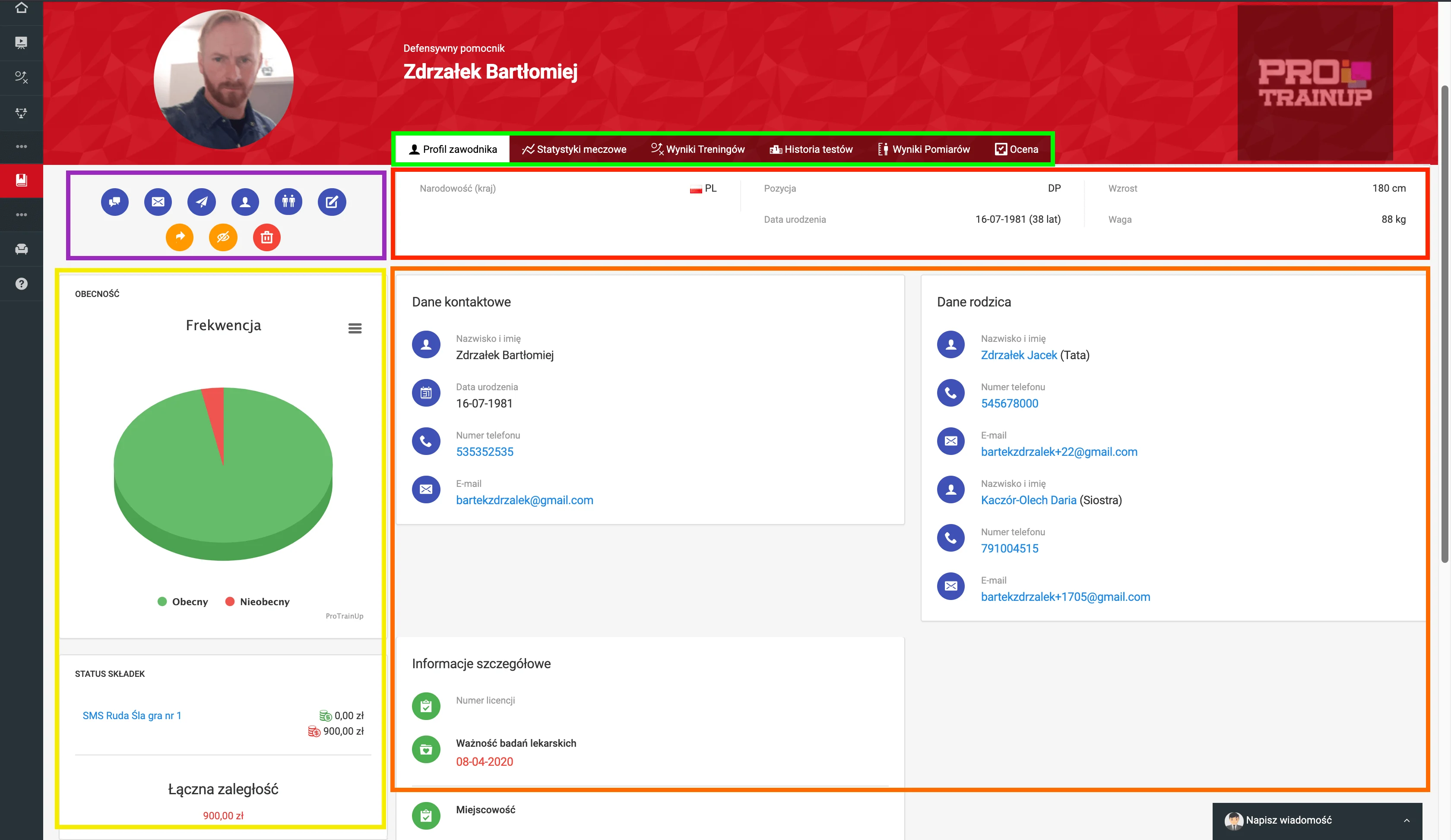
The player's profile consists of several sections, which are color-coded in the picture above. Green indicates the list of tabs, which can be clicked to navigate to the corresponding section of the player's profile.
- Purple indicates the function menu, which allows you to perform actions such as editing the profile, deleting the profile, hiding the player, or sending a private message or e-mail.
- Red indicates the section displaying the player's metric and anthropometric data.
- Yellow indicates the section with information about attendance and contribution notes. Orange indicates the section containing the personal data of the player and his parents.
Player card
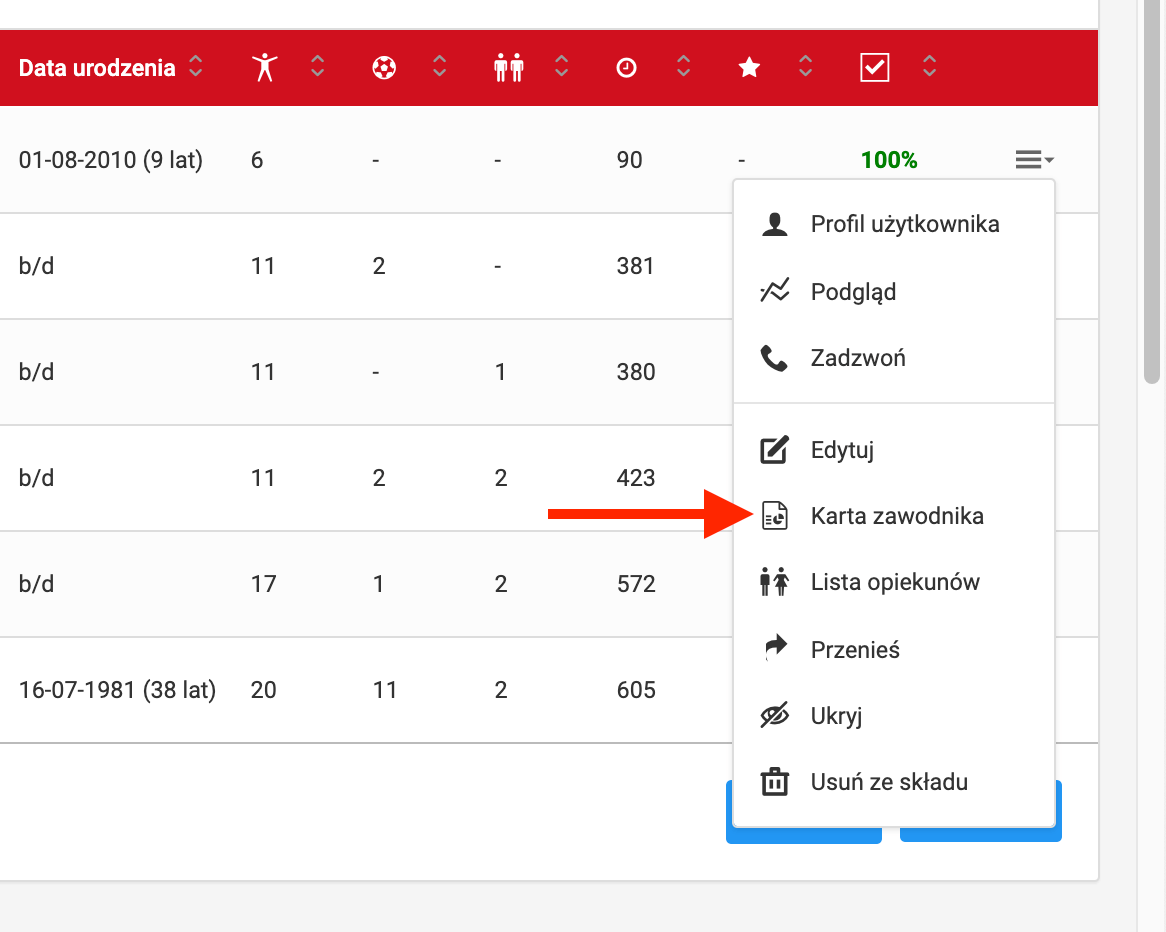
To go to the player's card, enter the player list and select "Player card" from the menu in the last column of the table. After clicking, you will be taken to the player's card page, where you will find a summary of the player's achievements from the last season.
Assigning a parent to a player's account
Instructions for assigning a guardian to a player and granting access to the account.
Notifications
The system sends a wide range of push notifications to keep players, parents, and coaches informed about training sessions, matches, payments, and other key club activities in real time.